Skip to content

Product

How it worksPricingGet started

Track by

Ocean trackingBy carrierBy portBy routeBy industryDemurrage calculatorCheck digit calculator

Resources

GuidesHow our ETA worksFAQGlossaryAboutSearch the siteDevelopers

Language

English 繁體中文 简体中文

Appearance

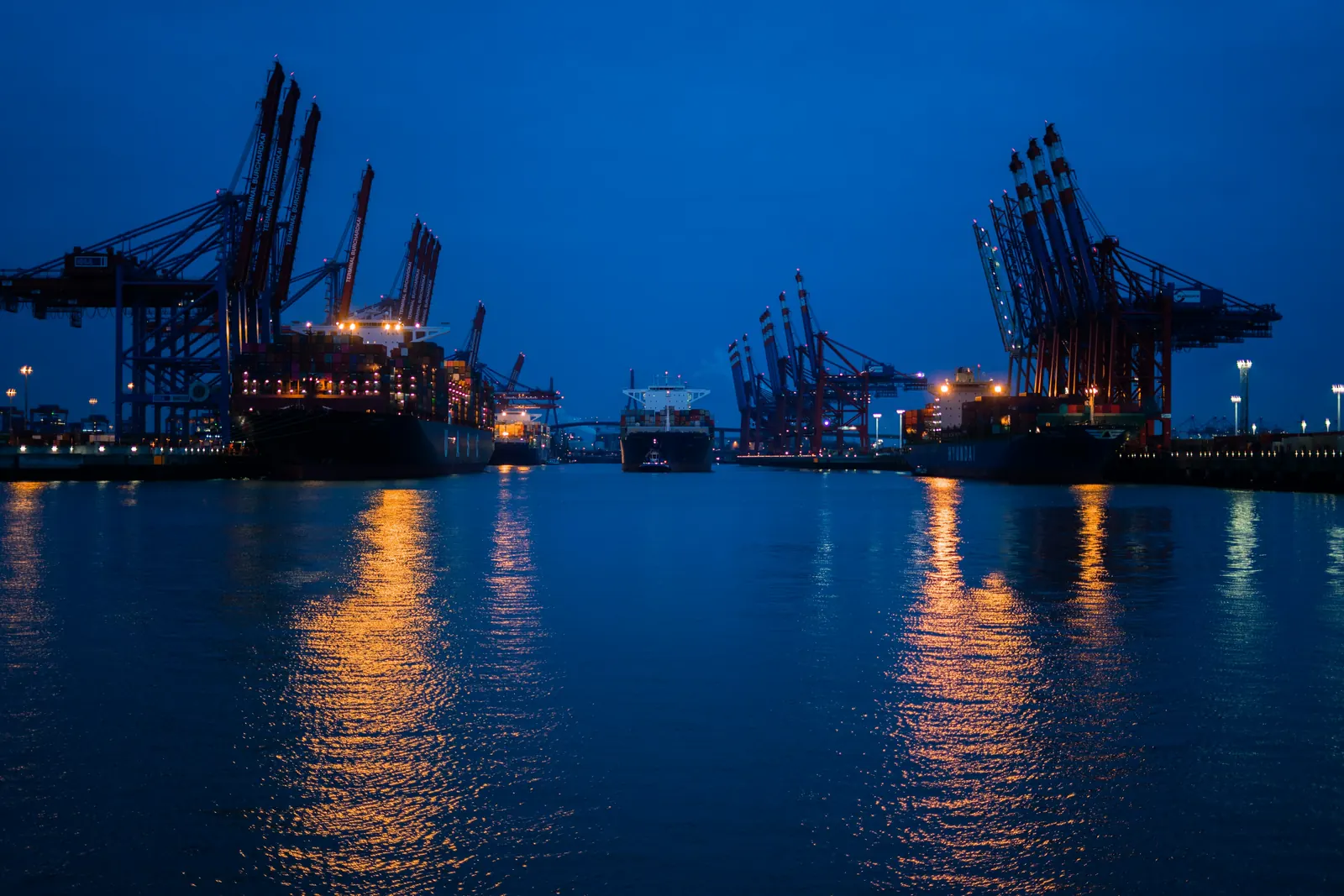
Ship-to-shore cranes and berthed container ships at blue hour, lights reflected in the harbour

One container. One morning. Everything that happens next.

This page follows a single shipment from the moment you paste its number to the day it lands, and shows what ShipTastic tells you at each step. Short chapters; read them in order or jump ahead.

01Inside the app

Inside the app, screen by screen.

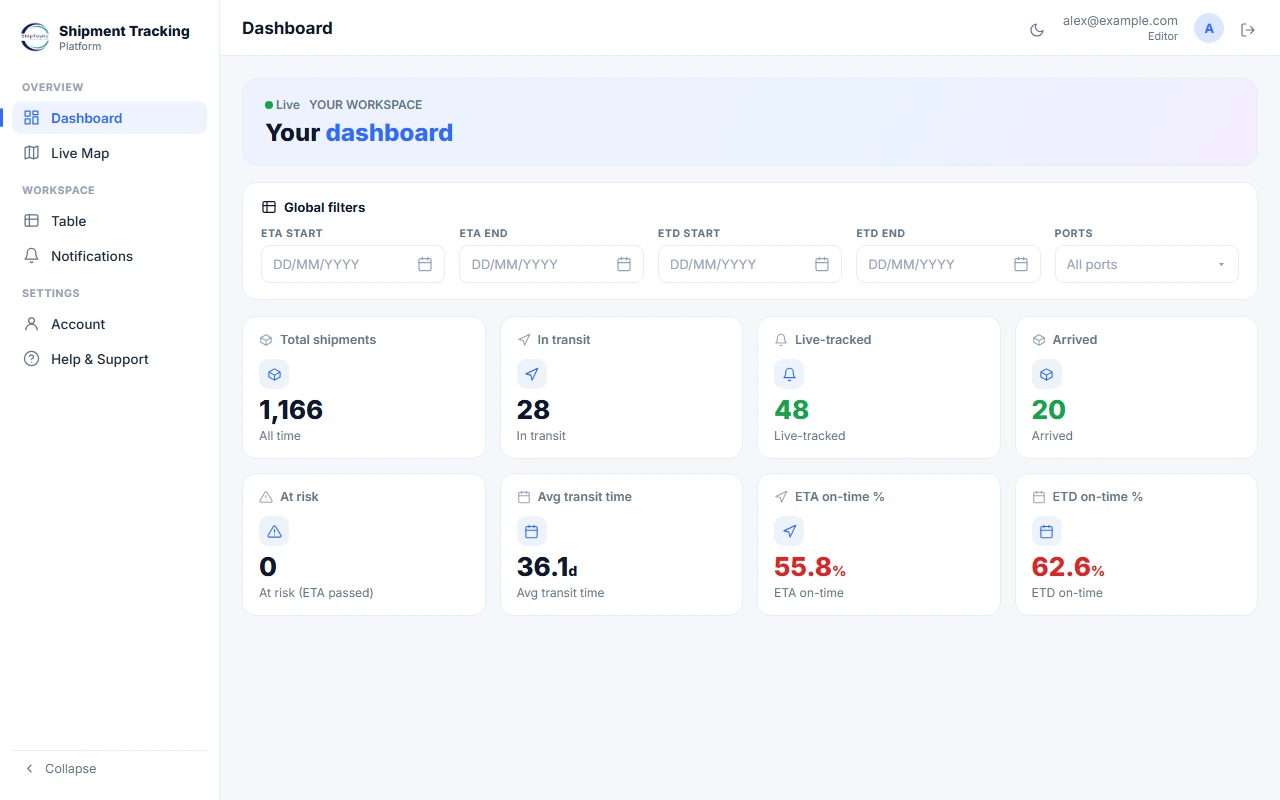
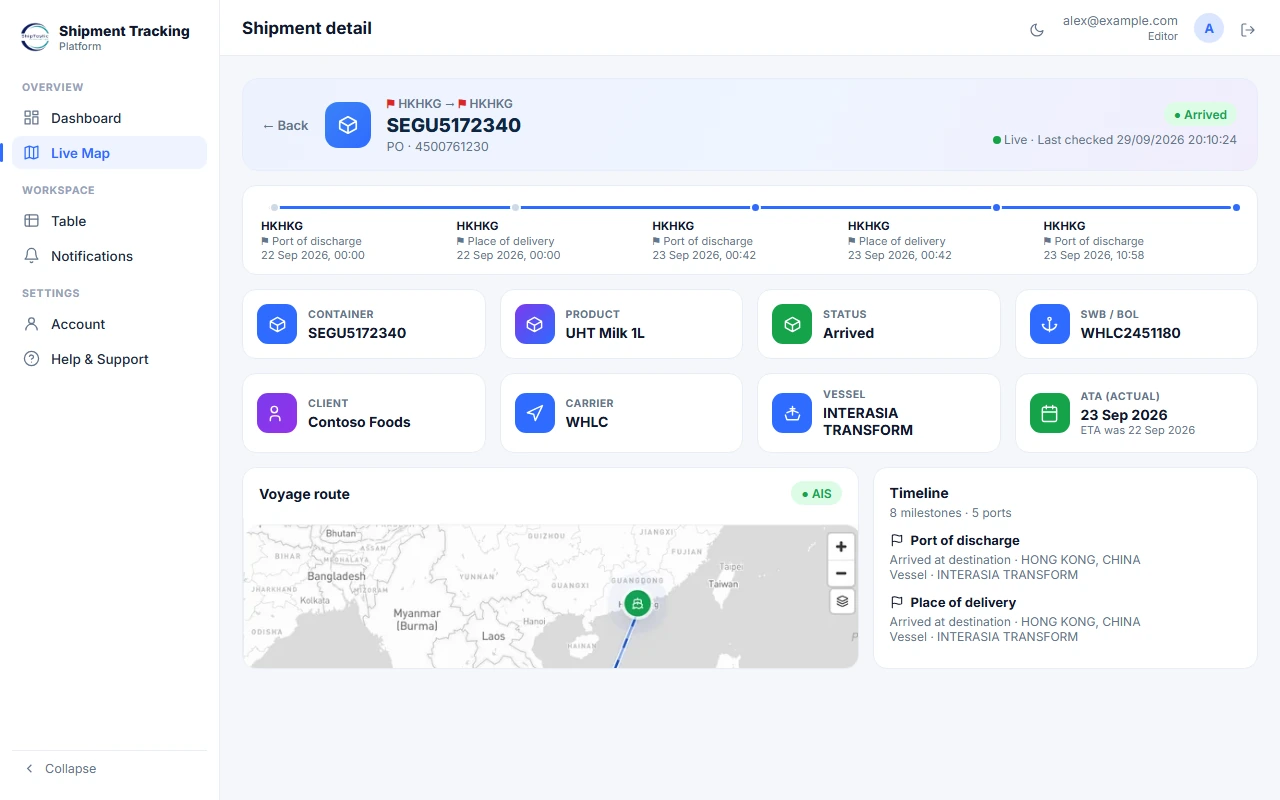
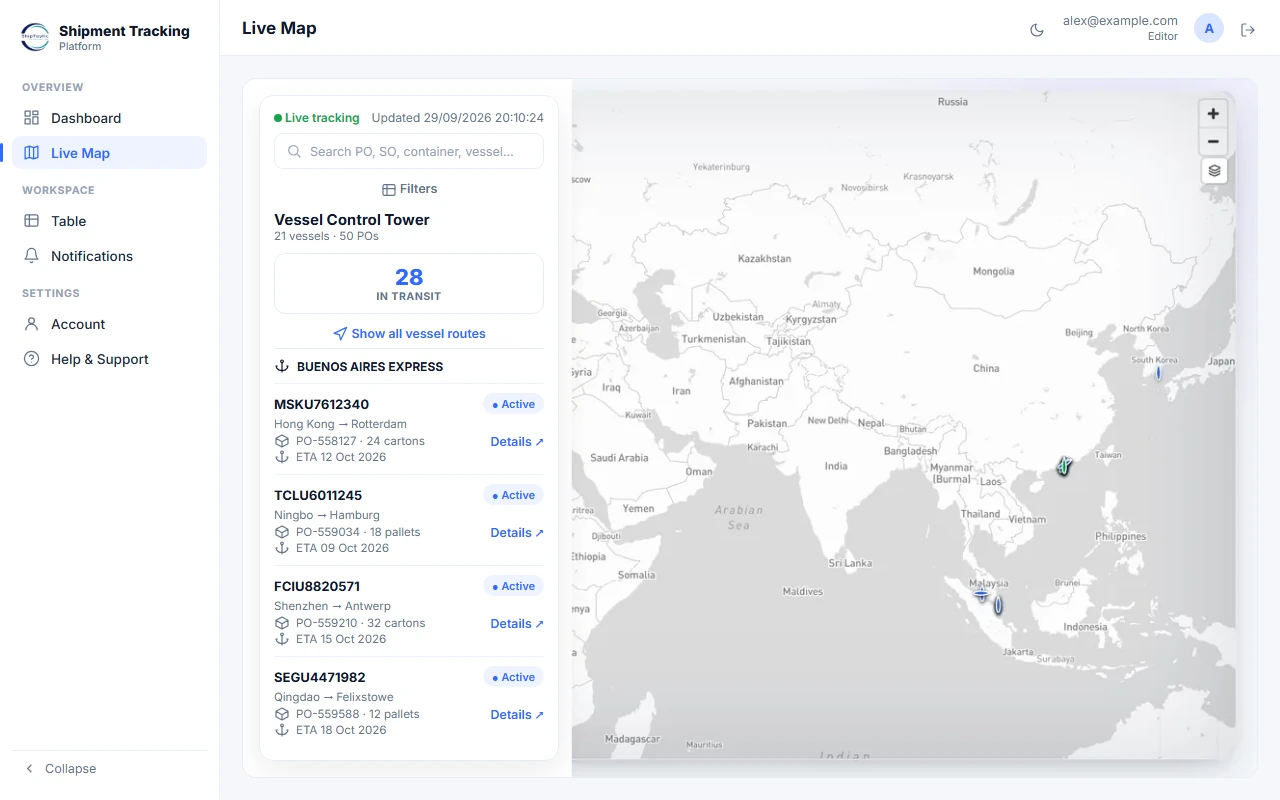
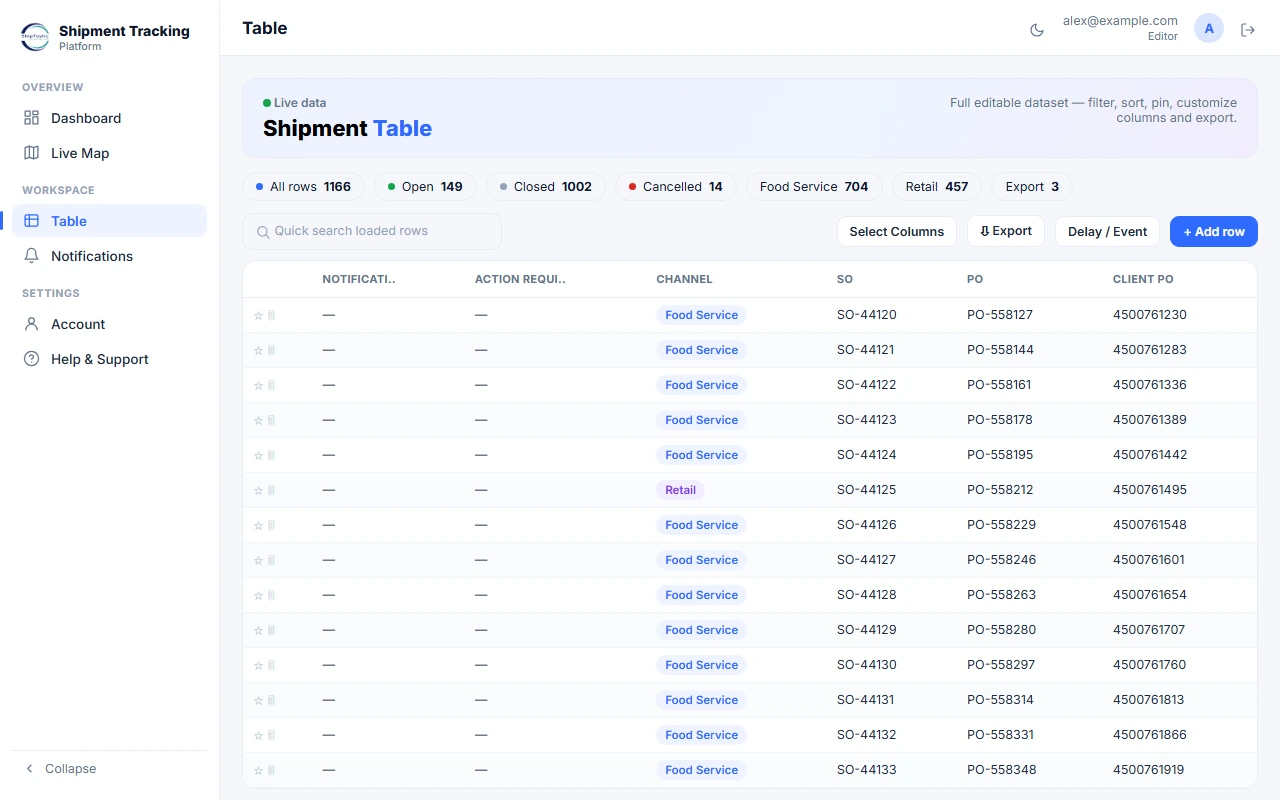
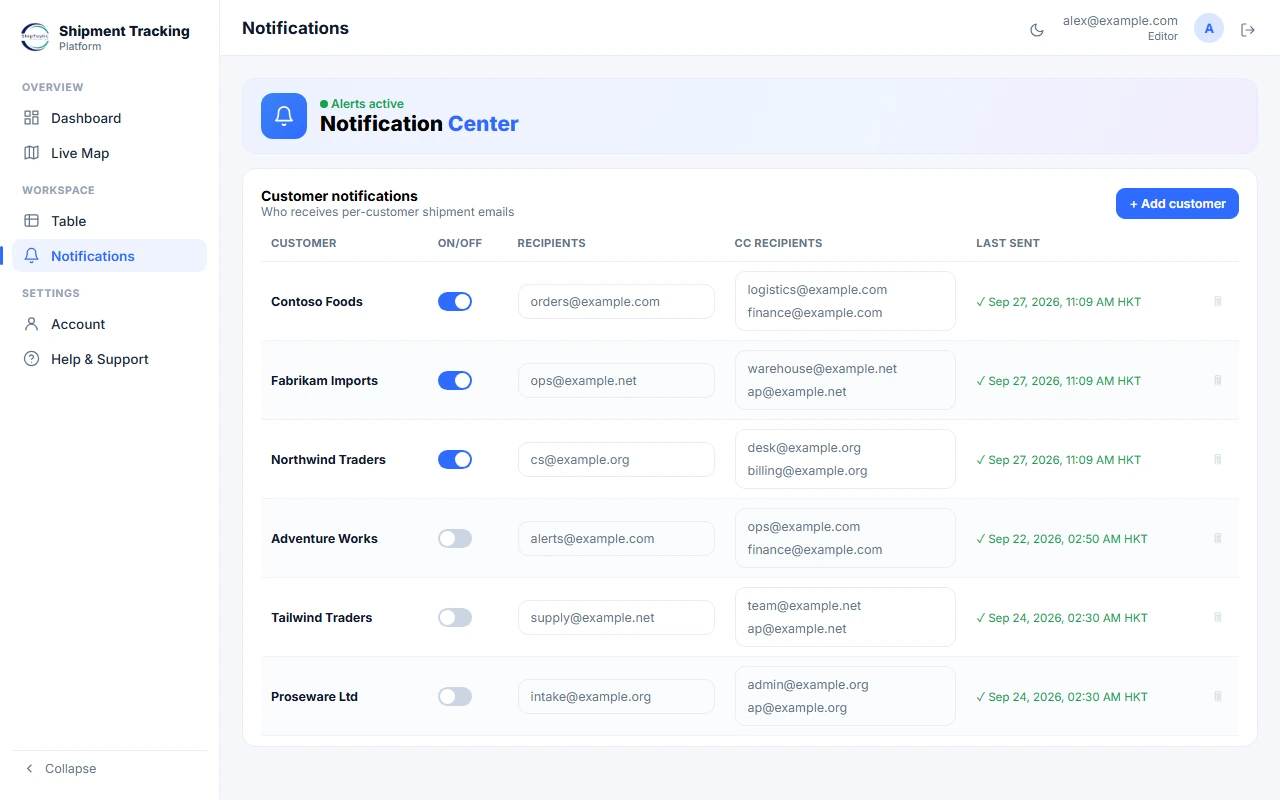
Five screens from the live platform, in the order a team uses them. Names, order numbers and container numbers shown are sample data.

ShipTastic app: Dashboard screen
Your workspace at a glance

Every tracked shipment, counted the way an operations lead thinks: in transit, live-tracked, arrived, at risk, average transit time and on-time rates, with global filters by ETA, ETD, port, channel and carrier.

02The morning

Without ShipTastic, and with it.

Without
  • Log into four carrier portals every morning
  • Copy statuses into a spreadsheet
  • Chase email threads for an update
  • Or buy an enterprise platform — demo call, sales cycle, months to go live
With ShipTastic
  • Paste a container, B/L, PO or SO number
  • Watch the real vessel on a live map in minutes
  • Predictive ETA, delay & demurrage alerts
  • Your carriers in one dashboard

No sales call · no implementation · no setup fees

Same containers. One screen. No morning ritual.

03What you see instead

Three things carrier portals can't do.

Every import team knows this Tuesday morning.

Sample · live vessel positions
  • MSKU 447102 5English Channel · 17.8 kn
  • MEDU 773014 8North Pacific · 18.4 kn
  • CMAU 556120 4Arabian Sea · 16.1 kn

The real vessel, live

The ship carrying your container on the global AIS network: speed, heading and the sea route ahead. Not a milestone that was true three days ago.

Sample · predictive ETA
Rotterdam · NLRTM28 Sep, 14:00

Based on vessel speed, position and port queue · checked 2 h ago

An ETA with its basis

An arrival time from vessel behaviour, shown with what it is based on and how recently it was checked. It sharpens as the ship nears port.

Sample · alert email

ShipTastic alerts

MSKU 447102 5 could run into demurrage

Free time at Rotterdam ends 2 Oct. Book the pickup before then.

Alerts that reach you first

Set a rule once and stop checking. A delay, a rollover or demurrage risk lands in your inbox while there is still time to act.

04Four steps

From a container number to a decision.

So this is what ShipTastic puts in front of you: the ship itself, an ETA that shows its working, and a nudge before anything costs money.

  1. Step 1

    Track

    Paste a container, B/L, booking, PO or SO number. We identify the carrier and place the real vessel on the live map.

  2. Step 2

    Predict

    An ETA from vessel behaviour, with its basis and age shown, sharpening as the ship nears port.

  3. Step 3

    Act

    Set an alert once. A delay, a rollover or demurrage risk reaches you while there is still time to act.

  4. Step 4

    Improve

    Lane performance and on-time rates, tagged with your own references and exported to CSV.

05The cost of a delay

See what a delayed container actually costs.

The four things that happen to a container once you paste its number, in the order they happen.

3
5 days
$150

Typical demurrage & detention runs about $50–300 per container per day. Indicative only — your carrier tariff is the real figure; ShipTastic flags risk, it does not set or pay charges.

Estimated exposure
$2,250
3 containers × 5 days × $150/day
Caught 3 days earlier, you could avoid up to $1,350.
Get demurrage alerts

06Compared honestly

One dashboard, or four browser tabs and a spreadsheet.

Step three matters because of this. Demurrage stacks up fast once free time runs out; move the sliders, then see how an early alert helps.

ShipTasticCarrier portalsSpreadsheet + emailEnterprise platform
Your carriers in one dashboard✓One each✕✓
Live AIS vessel position✓✕✕Some
Predictive ETA that updates near port✓✕✕✓
Set an alert once, stop checking✓✕✕✓
Start in minutes, no sales call✓✓✓✕
Simple per-shipment pricing✓Free, one carrierFree, manualEnterprise quote

07Questions

Questions about tracking

How do I track a container?

Paste the container number, booking number or bill of lading into the search box. ShipTastic resolves the carrier and voyage and places the real vessel on the live map. No carrier login needed.

Can I track by PO or SO?

Yes. Find a container by its number, B/L, booking, PO or SO. Your team thinks in purchase orders, so that is how you find a shipment.

Do I need a sales call or an implementation project?

No. Paid plans start at $29.99/month. There is no sales call and nothing to configure.

How often does the position update?

Vessel positions come from the global AIS network and refresh continuously while the vessel transmits; port milestones update as the carrier and terminals report them.

What does it cost?

Plans from Starter $29.99, Pro $79.99, Max $199.99 per month for 15 / 50 / 150 shipments. Enterprise is API-first at a flat per-shipment rate. See pricing →

Make ocean tracking the quiet part of your day.

Paste a container number and see the real vessel on the map in minutes. No sales call, no setup.

Tracking from $29.99 a month · pay-as-you-go